a-Shell
Nicolas Holzschuch
4.5
リリース詳細
| 発行国 | JP |
| 国のリリース日 | 2019-10-25 |
| カテゴリ | Developer Tools, Productivity |
| 国/地域 | JP |
| 開発者ウェブサイト | Nicolas Holzschuch |
| サポートURL | Nicolas Holzschuch |
| コンテンツ評価 | 16+ |
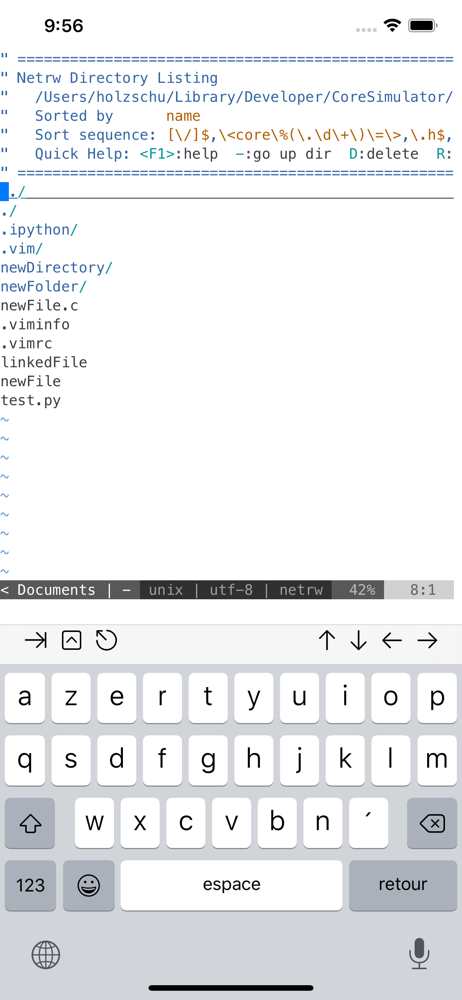
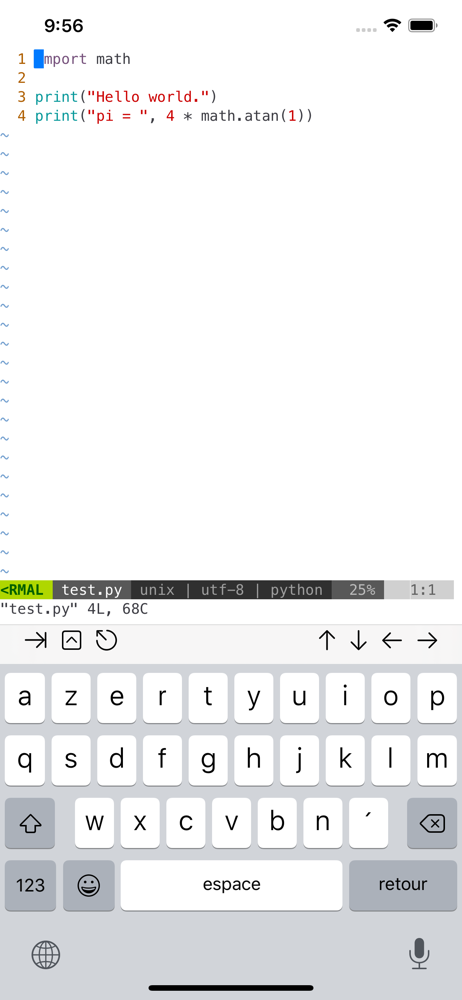
a-Shell is a complete local terminal emulator, allowing to run most Unix commands on your iOS device. You can transfer files using scp and curl, edit them with vim and ed, process them using grep, awk and sed. You can work with git repositories using lg2.
Most commands are compiled for iOS native Arm64 format, making them fast and well integrated with the BSD Unix that powers iOS/iPadOS.
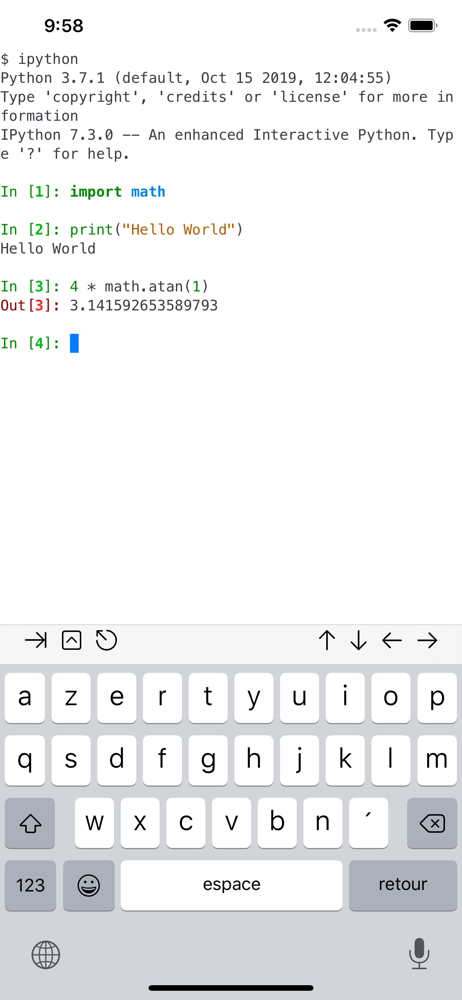
a-Shell includes Python, Lua, Perl, JavaScript, C, C++ for programming and TeX (texlive 2025, with Tikz and LuaTeX) for text processing.
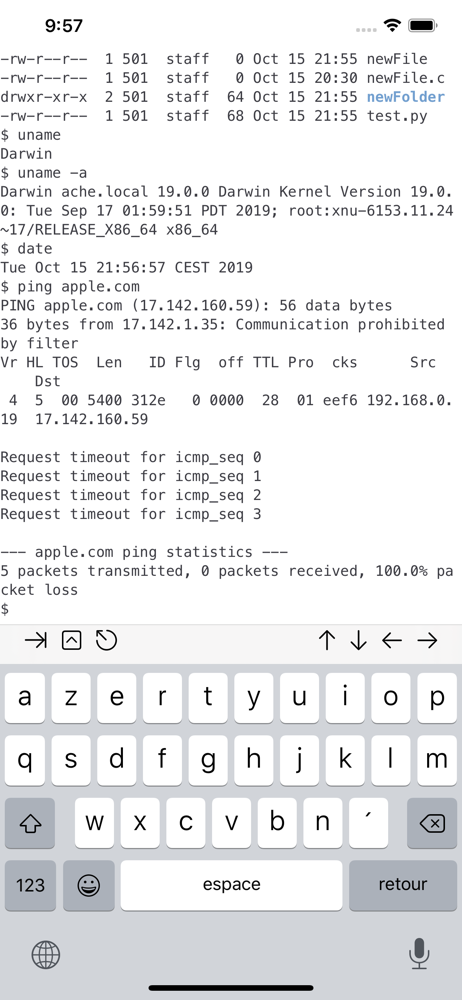
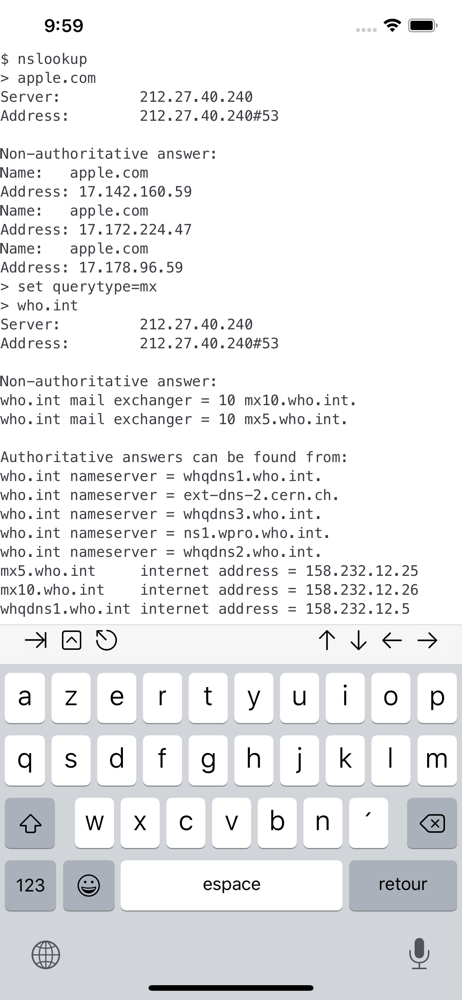
There are also multiple network utilities: nslookup, ping, whois, ifconfig… Type help for help, help -l to get the full list of commands.
a-Shell can be controlled from Shortcuts: run commands in order, process files in a-Shell, get the results as text or files, transfer files to other apps…
a-shell uses iOS 13+ “multiple windows” ability, so you can run multiple shells at the same time, with different commands, in different directories. You can edit a file in one window with vim and process it in the other with python.
Compile your C or C++ programs to webAssembly using clang or clang++, and execute the resulting binary. A complete webAssembly SDK is included (WASI-libc).
a-Shell is the complete version. If you need a smaller app, and you don’t need a C compiler, a TeX engine, or numpy and matplotlib, there is a-Shell mini.
平均評価
129
評価の内訳
注目のレビュー
_keboによる
2019-11-10
バージョン 1.1
cross_platform_consistencyVim 8 や Python 3.7 がネイティブで動くため、pip でインストールした pyls や flake8 と連携して vim-lsp や ale と言ったプラグインを使うこともできる。iOS/iPadOS 向けの Vim アプリで Python や外部コマンドを使うようなプラグインを入れることができるアプリは現状このアプリが唯一です。iCloud Drive や Working Copy (git) などの外部アプリのディレクトリも開くことができるため、単純なテキストエディタとしても使いやすいです。 また、ネイティブの TeX Live 2019 では LuaTeX-ja が含まれているため、LuaTeX-ja のクラスを使っていれば何の問題もなく日本語文書がコンパイルできます。 その他多数の UNIX コマンドが同梱されており、今後の発展が楽しみなアプリです。
にんにくぱせりによる
2026-05-16
バージョン 2.0.2
feature_requestsoffline_functionalityintegration_with_other_servicesアプリのごとく使いたいなら、 サーバー開いてローカルホストにアクセスするのがおすすめです! 手軽に起動したいなら、iOSに最初からあるショートカットアプリでコマンドが打てるのでそれで起動すればいいですよ〜 ただ、「エクステンション内で実行」は長く持たない上に失敗するとa-shellがバグることもあるので、 サーバー開く時だけアプリを開いて実行させ、1秒ごとに「エクステンション内で実行」で適当な軽いコマンドを送り続けるようなショートカットを組むとサーバーを維持できます(バックグラウンドでもです。これがなかなかに強いです。) ブラウザからローカルホストでアクセスしたらアプリのごとく使えるわけです。 (以前までinternalbrowserで本当にアプリらしく使えていた(し、だからいちいちショートカットでバックグラウンド維持しなくてよかった)のですが、 V2になってツールなどが表示された挙句、表示も崩れ、嫌なところでリロードが入ったりしたのでやめました。今ではショートカットでsafariを開くようにしています。 そこは前の方が良かったですね…) あと、アプリ使いとか以前に、iosでffmpegとかyt-dlpができるのは革新です。 もしネットにある無料の制限付きサイトとか使っているなら、すぐにでも乗り換える価値があります。 あとファイル共有とかを同じWi-Fiに繋ぐだけでできるのは何かと便利です。 シェルの表示は崩れやすいので、SSHとかには専用のアプリも多いですしa-shellは向いてません。 iOSからの制限は強力なため、a-shellの外をぶっ壊すことはまずないので安心してくださいね!(ヘマしてもa-shellが落ちるだけ)
あーっっっぷによる
2026-01-01
バージョン 1.17.4
performance_and_bugs最高のiPad用ターミナルアプリ。 一点だけ気になったことがある。 SSHで接続している端末でtmuxを使っていると画面崩れが起きる場合がある。画面が崩れるのは左右に分かれているペインのどちらかで改行が発生した時。反対側のペインにも改行が反映される。 The best terminal app for iPad. Just one minor issue: when a new line occurs in one tmux pane while connected via SSH, it reflects in the adjacent pane as well, causing the display to break.
スクリーンショット